Ingame Path And Area Painter
New
| Mod Name | Ingame Path And Area Painter |
| Game | Farming Simulator 25 |
| Manufacturer | None |
| Category | Gameplay |
| Author | FrechDachs93 |
| Size | 0.61 MB |
| Version | 1.0.0.0 |
| Release Date | 10.11.2026 |
| Platform | PC/MAC |
Views 1
Downloads 0
ModBarn 0 (0)
ModHub 0.0 (0)
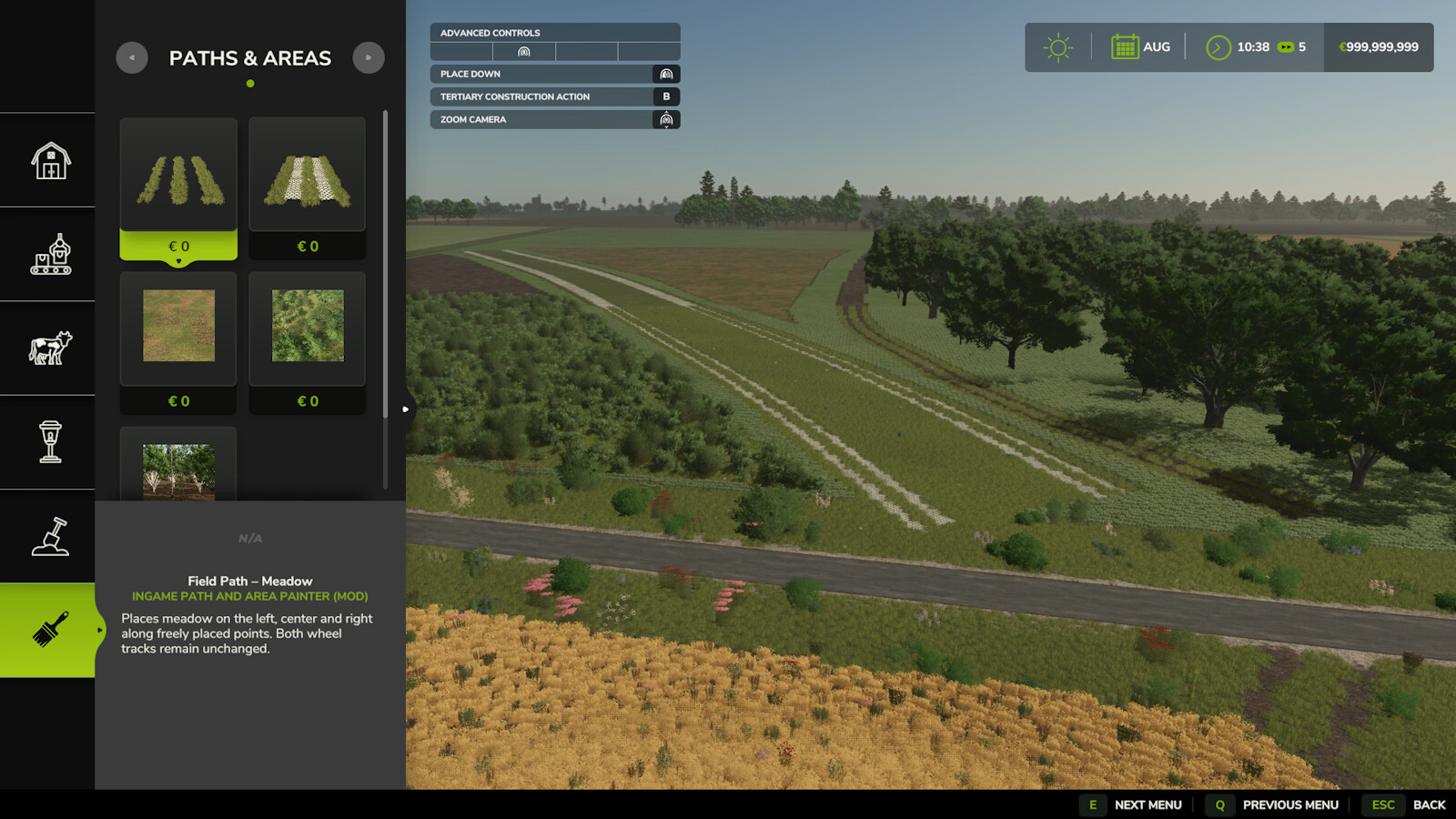
Create field paths and freely shaped areas directly in construction mode. Place control points, adjust the settings and inspect the result in the preview.
Field paths – important:
• 2 points always create a straight field path.
• Curves are only possible from the 3rd point onwards.
• Choose 1 or 2 parallel field paths and adjust the spacing and side of the second path.
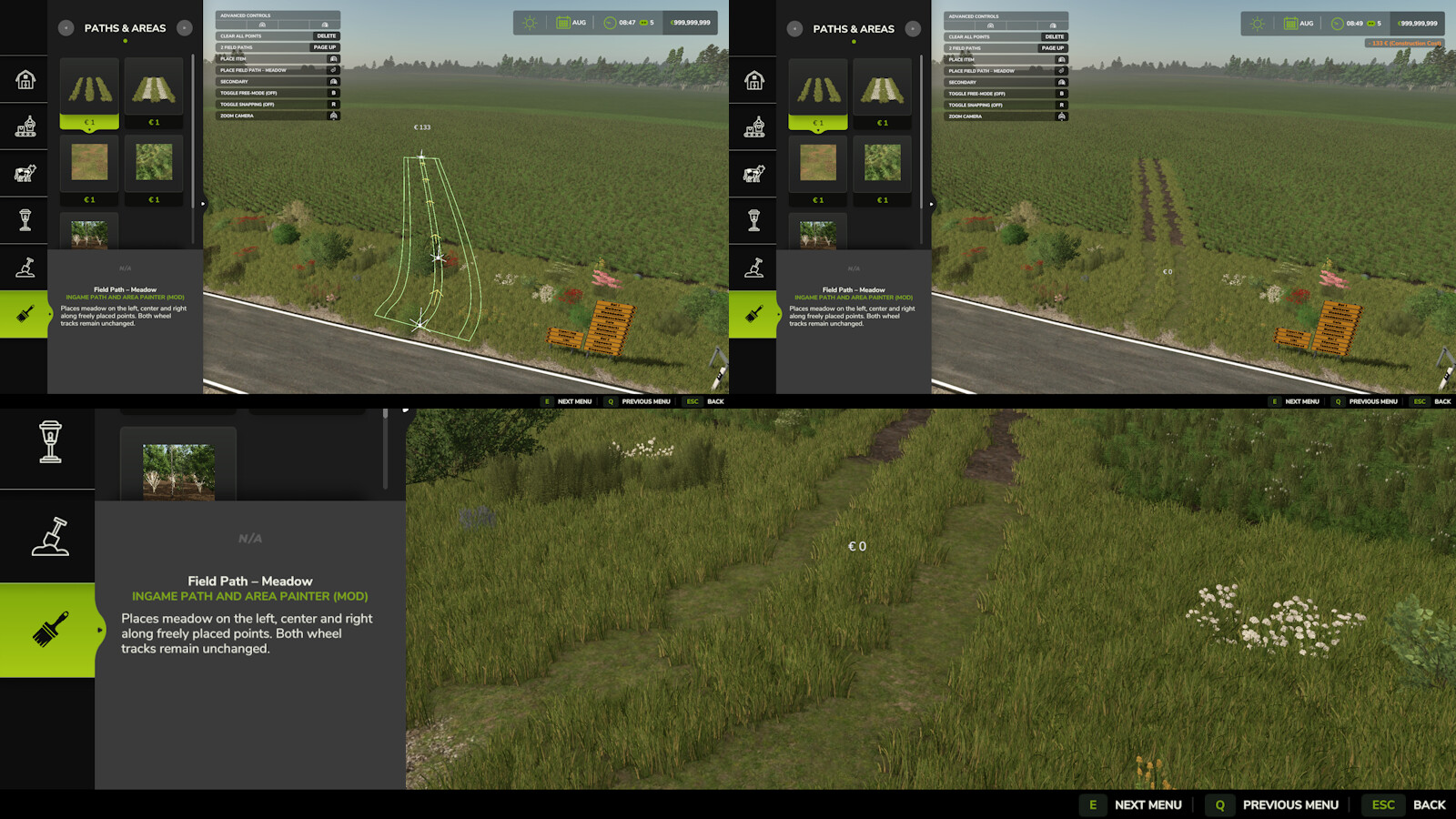
Field Path – Meadow:
Paints meadow along both sides and between the wheel tracks. The two wheel tracks remain unchanged.
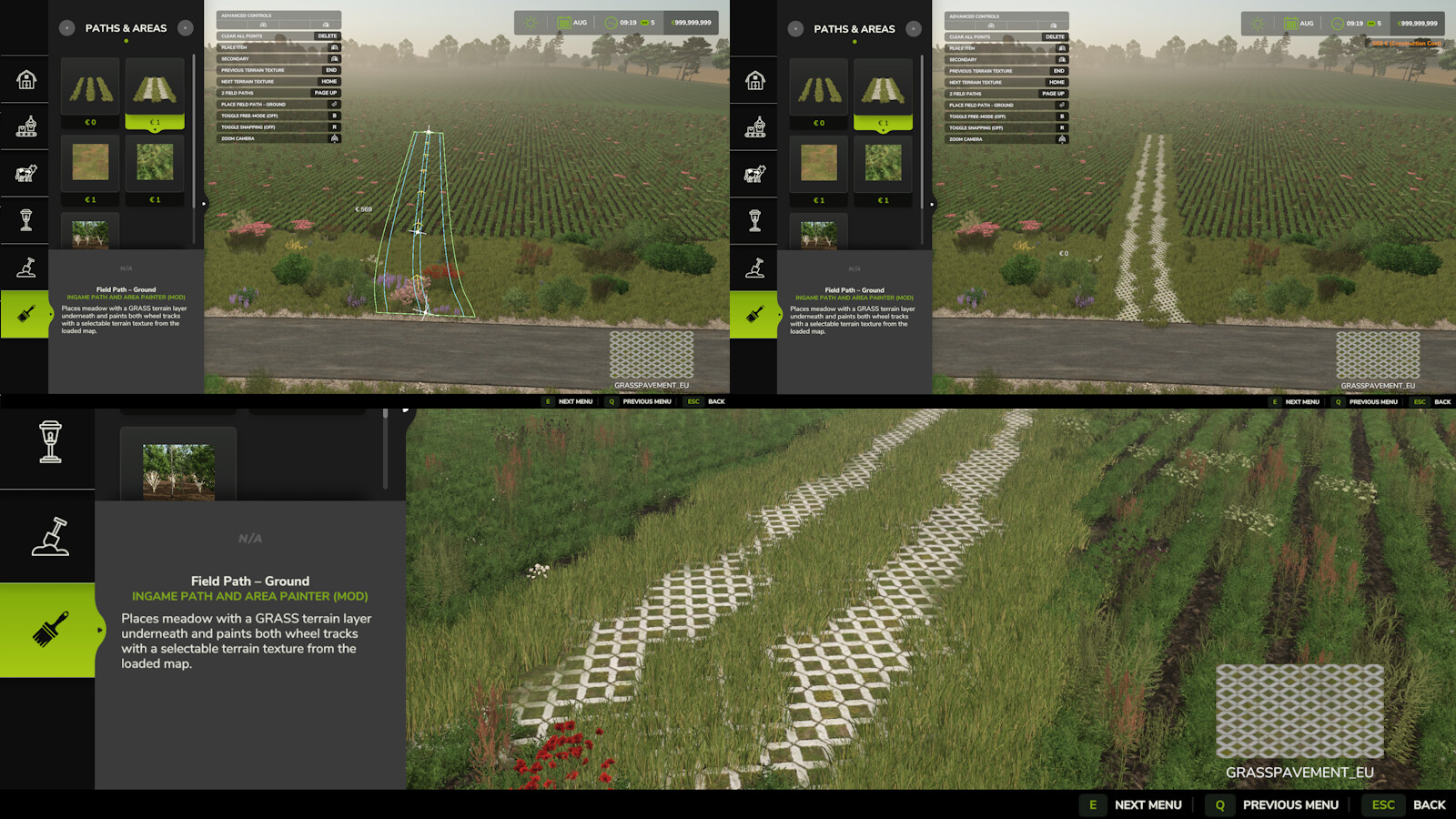
Field Path – Ground:
Automatically paints the GRASS terrain layer below meadow areas and adds meadow foliage on top.
Choose a terrain texture from the current map for the wheel tracks. Available terrain textures are detected automatically.
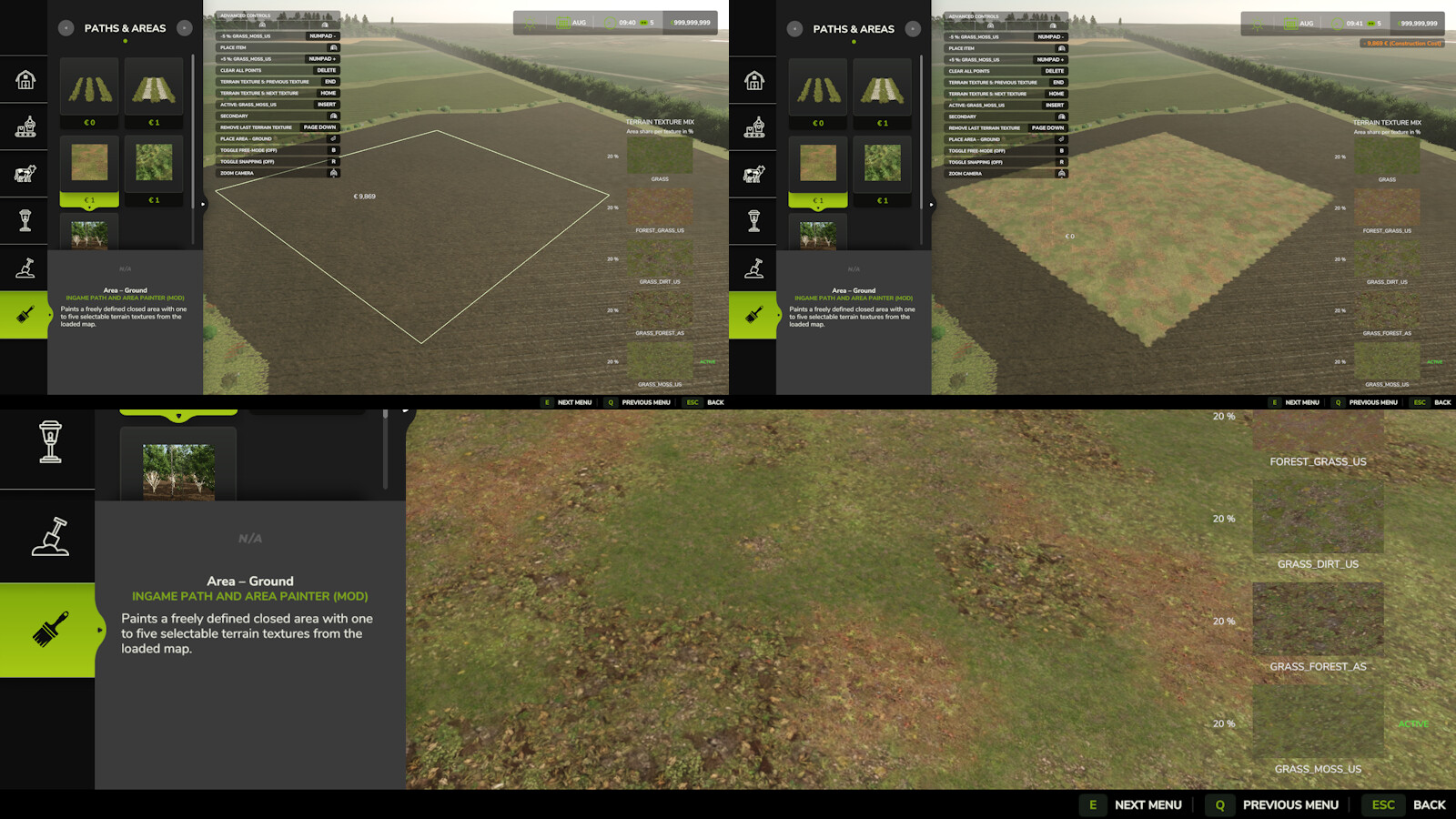
Area – Ground:
Draw a closed area and use 1 to 5 terrain textures.
One texture covers the entire area; multiple textures are naturally mixed with adjustable proportions.
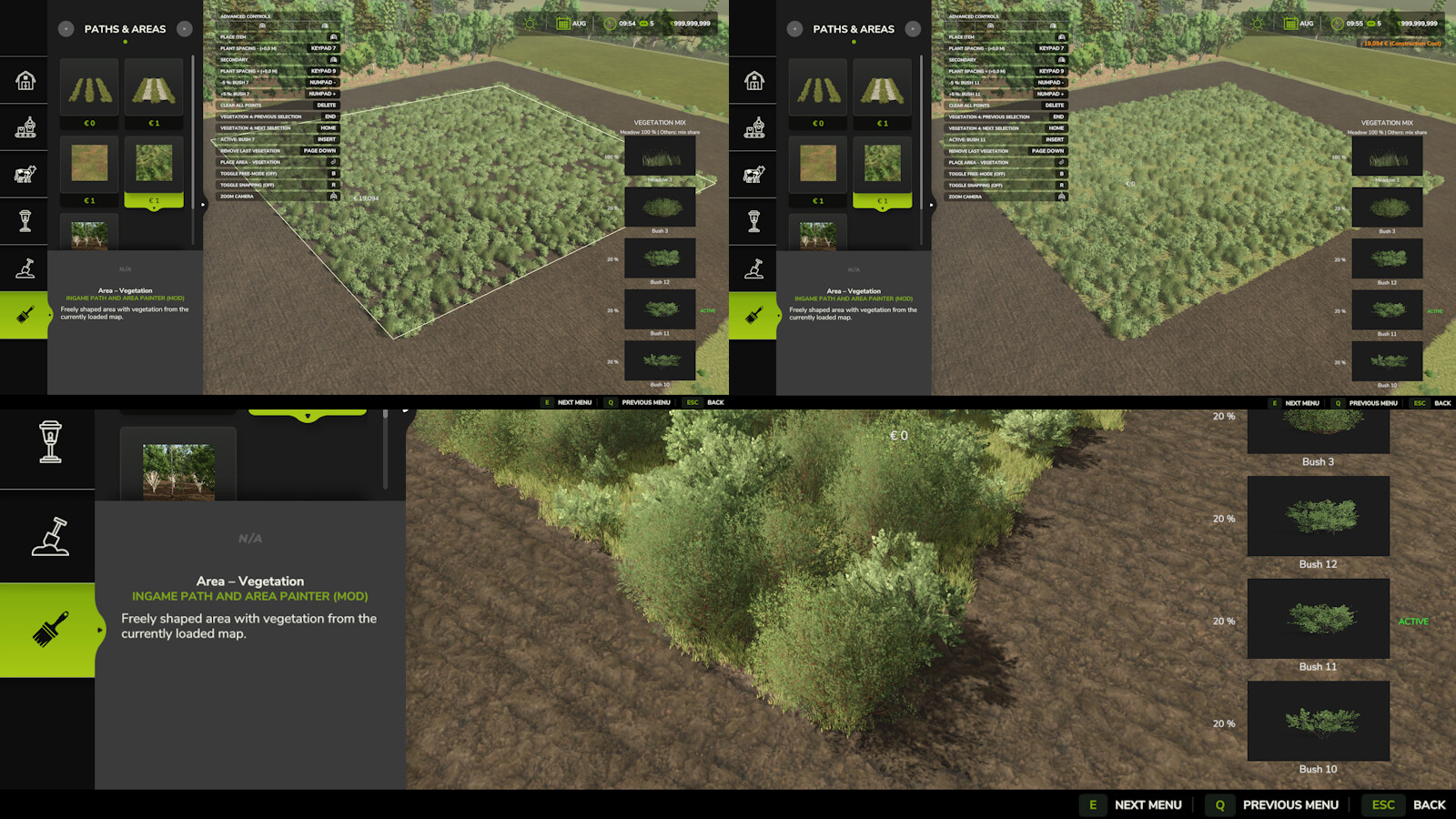
Area – Vegetation:
Draw a closed area and select 1 to 5 vegetation types from the current map.
Selected meadow covers the entire area. Bushes are distributed naturally with sparse coverage.
Adjust additional plant spacing in 0.5 m steps. Up to 5,000 bushes are allowed per area; meadow does not count towards this limit.
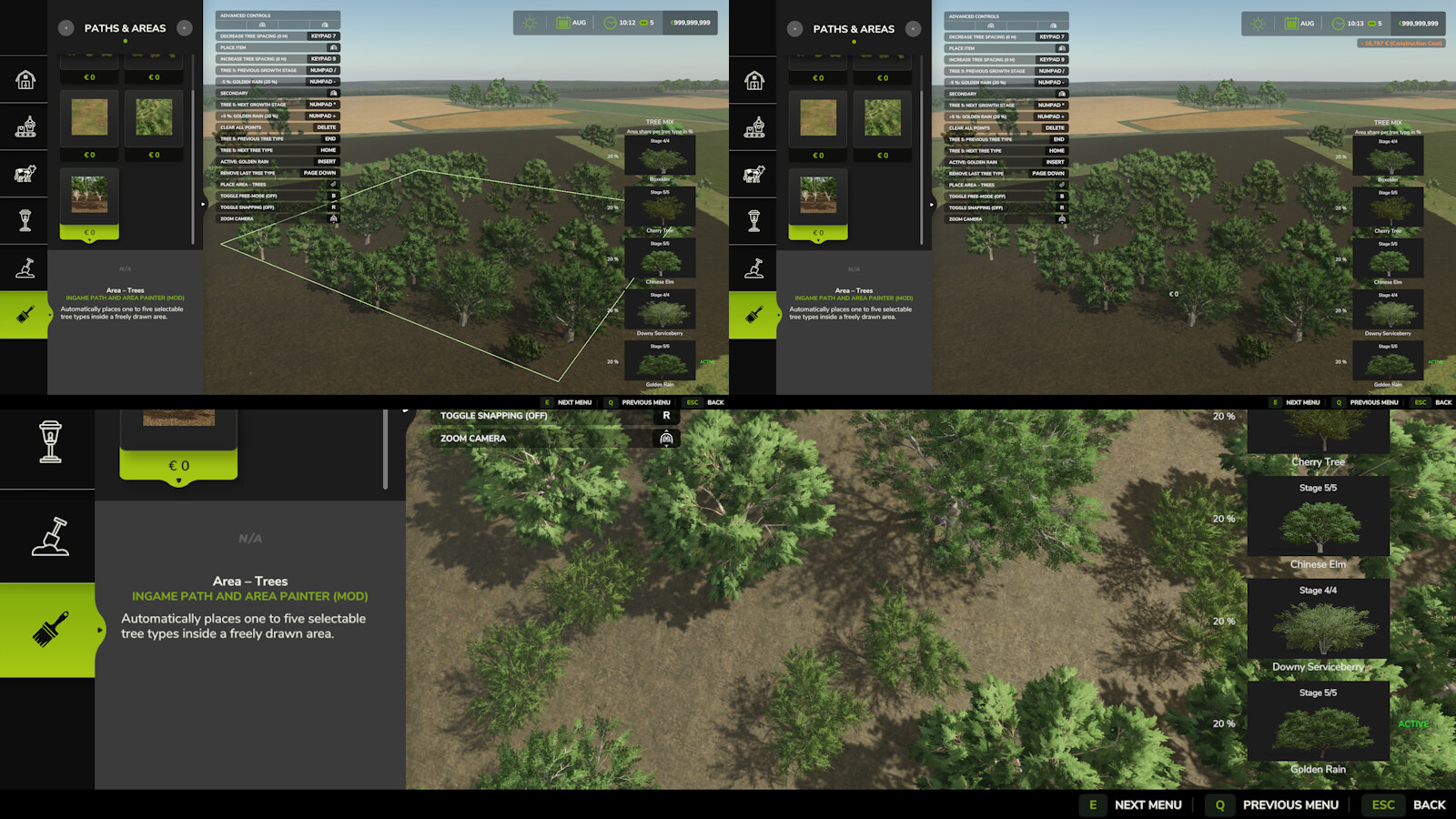
Area – Trees:
Draw a closed area and select 1 to 5 tree species from the current map.
Adjust the selected tree species and their proportions. Tree spacing can be adjusted in 1 m steps; the growth stage is also selectable.
Only stage 1 saplings continue to grow after placement; higher growth stages remain unchanged.
Controls:
• Left mouse button: Place a control point.
• Right mouse button: Remove the last control point.
• Enter: Place the field path or closed area.
• Delete: Reset all control points.
• Page Up / Page Down: Choose 1 or 2 field paths, or add/remove an area slot (max. 5).
• Numpad + / -: Change spacing between 2 field paths by 1 m, or the active area slot share by 5%.
• Numpad 7 / 9: Decrease/increase plant spacing by 0.5 m or tree spacing by 1 m.
• Insert: Move the second field path left/right, or switch the active area slot.
• Home / End: Select the next/previous terrain texture, vegetation type or tree species.
• Numpad * and /: Select the next/previous tree growth stage.
Notes:
• Closed areas and looped paths: After at least 3 points, click near the first point; the endpoint snaps within 2 m.
• Control points can only be placed on owned land.
More from FrechDachs93

Suggested Mods
Ratings & Reviews
0
0 reviews
| 5 stars | ||
| 4 stars | ||
| 3 stars | ||
| 2 stars | ||
| 1 stars |
| Login above to Rate & Review this. Let us know what you think! |
| No Ratings & Reviews Yet. Be the first to leave a Rating & Review! |